 There's one small, fast and powerful graphic viewer which is FREE of charge for home user. Normally, what software do you use to view graphic files in your PC? The default Windows Picture and Fax Viewer? Or ACDSee Photo Manager which is likely to be a shareware? Put those a side, and try IrfanView today! How powerful is it? Why should I use it?
Because it's easy to use and FREE!
IrfanView not only supports graphics file, it also supports video/audio format such as .mid, .avi. You can also view format such as .ogg, .mp3 and many more (provided you have the required plugin installed).
Software Information:
Operating System: Windows 9x/ME/NT/2000/XP/2003/Vista
License: Freeware (non-commercial only, ie. home user)
Genre: Graphic viewer
Format supported: Click here to view full list
Features:
- Many supported file formats (click here the list of formats)
- Multi language support
- Thumbnail/preview option
- Paint option - to draw lines, circles, arrows, straighten image etc.
- Toolbar skins option
- Slideshow (save slideshow as EXE/SCR or burn it to CD)
- Show EXIF/IPTC/Comment text in Slideshow/Fullscreen etc.
- Support for Adobe Photoshop Filters
- Fast directory view (moving through directory)
- Batch conversion (with image processing)
- Multipage TIF editing
- File search
- Email option
- Multimedia player
- Print option
- Support for embedded color profiles in JPG/TIF
- Change color depth
- Scan (batch scan) support
- Cut/crop
- IPTC editing
- Effects (Sharpen, Blur, Adobe 8BF, Filter Factory, Filters Unlimited, etc.)
- Capturing
- Extract icons from EXE/DLL/ICLs
- Lossless JPG rotation
- Many hotkeys
- Many command line options
- Many PlugIns
- Only one EXE-File, no DLLs, no Shareware messages like "I Agree" or "Evaluation expired"
- No registry changes without user action/permission!
- and much much more
Official Website:

Screenshot:
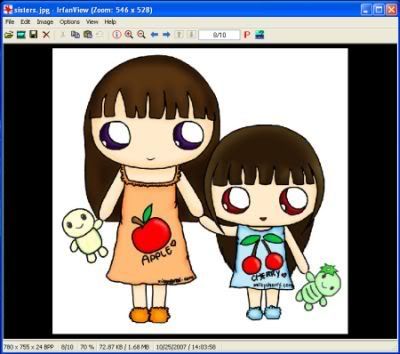
Although IrfanView does not have fancy interface, it has easy-to-use features. Normally, I use it to copy & paste, crop and resize images. The screenshot shown above is an example.

No comments:
Post a Comment