 How is this possible? Every time you delete a file, only the location of the file is being removed from the index, and the content is still somewhere around your hard drives. That is why even when you delete a file, you are still able to retrieve it by using undelete software.
Worry not, as Eraser can make your day...
What is Eraser?
Eraser is an advanced security tool (for Windows), which allows you to completely remove sensitive data from your hard drive by overwriting it several times with carefully selected patterns.
License: GNU General Public License (Freeware)
Platform: Windows 95, 98, ME, NT, 2000, XP, Vista (Eraser version 5.86a), Windows 2003 Server and DOS
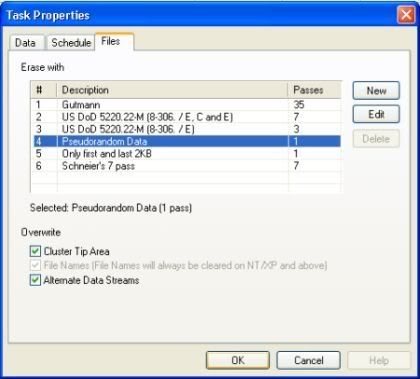
Different methods for removal
It has several algorithms to choose from to perform the removal task:
- Guttmann (Default)
- Pseudorandom Data
- US DoD 5220-22.M
My Two Cents
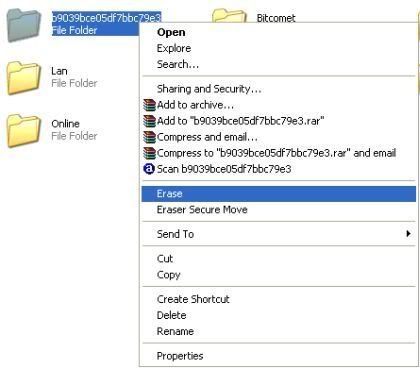
Right click file to erase
The interface may be very simple and not really attractive, but it helps you to remove deleted files from the index. I am not quite sure how the algorithms mentioned above work. The easiest way of using Eraser is right clicking the file/folder that you are going to delete and choose the Eraser option. You can even empty your recycle bin via Eraser too. That will totally remove sensitive files which cannot be retrieved later.
[via Tech Bold]

No comments:
Post a Comment